
 Site Explorer
 Keyword tool
 Google Algorithm Changes

After Bing released their disavow tool, now it’s time for Google. A lot of people waited for this tool from Google, as with all the “Penguin” updates this year, a lot of webmasters were left in the dark having their sites penalized with no ability to remove those low quality links successfully.
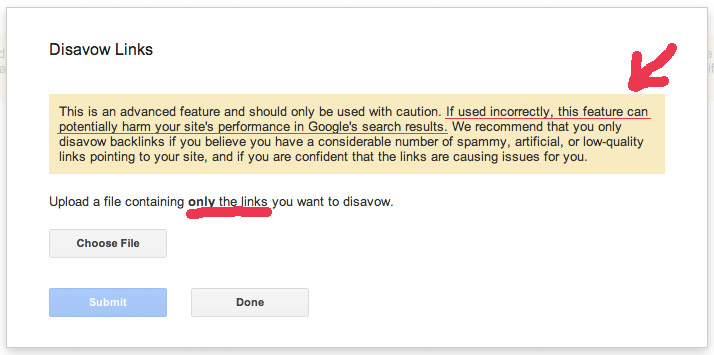
As Google warns you this is an Advanced Tool and should be used with caution. It can harm your site’s rankings in Google.
What cognitiveSEO will do for you is give you the needed tools to easily filter and identify low quality links that you can export and import into the Google Disavow tool.
Here is a diagram that explains the steps you need to take to successfully use the Google Disavow tool.
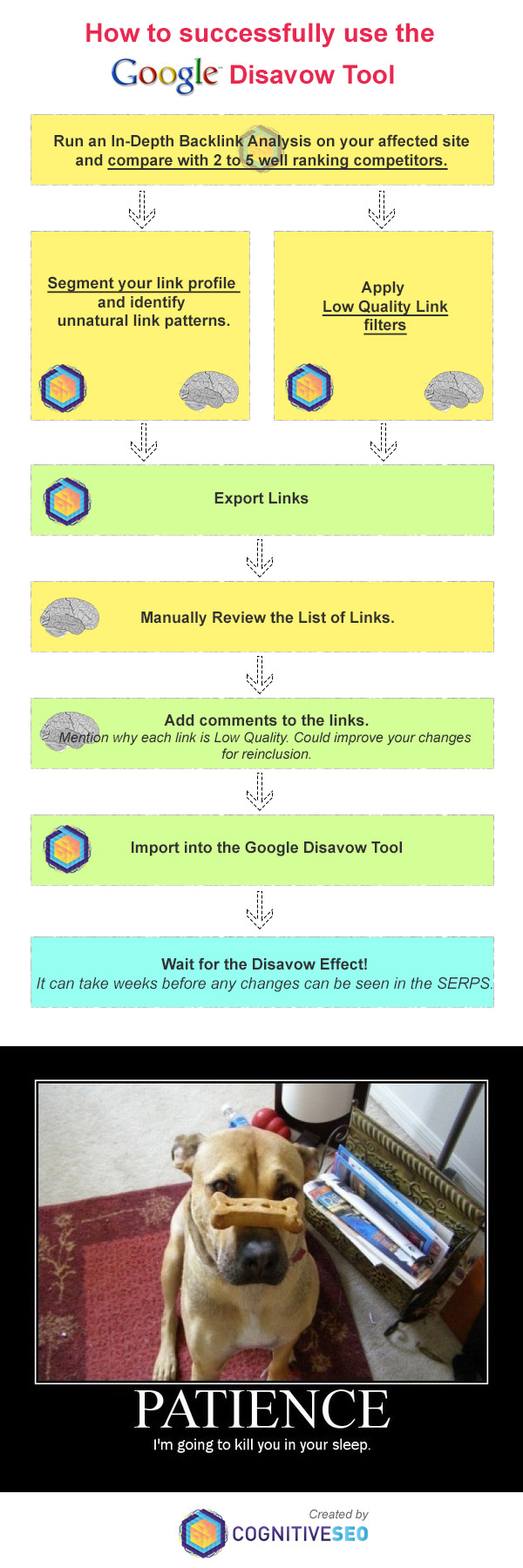
As you can see the steps are not that complicated. The only things that require a bit more skills is segmenting your link profile and filtering for low quality links. This can be quickly learned from this video and tutorial.
Forgot to mention that you can also import the “Google Webmaster Tools” links into cognitiveSEO for the analysis ( this is highly recommended because those are all of the links Google looks at)
To conclude:
Google Disavow Tool + cognitiveSEO = The Perfect Solution for “Unnatural Warnings” affected sites.






Wish I had discovered your tool earlier. Just got done doing it manually using Majestic SEO and GWT data for a couple of my clients websites. I’m going to run through the process again using Cognitive SEO and compare the results.
just filter the bad links and export/import into GWT 😉
CognitiveSEO has proven to be the best solution on the internet at this time to filter bad links. Congratulations on this. I’m pretty sure that soon I can say: “Penguin, you’re history”
tks Iulian.