Finally I got to the point where I can write this. We have been continuously working for the last 5 months on this upgrade. To put it simply, this is the biggest upgrade to cognitiveSEO yet, and it improves the way you analyze backlinks by adding even more link data points into a new & simplified user interface.

In the age of raw link data and hundreds of SEO metrics, we are improving the backlink analyzer concepts used in our tool by providing:
- Fresh & Complete Link Data [Aggregated & De-duped] from Ahrefs, MajesticSEO, SEOmoz, Blekko & SEOKicks.
- Re-crawled & Classified On-Demand for You.
- In an “easy to digest” UI.
I want to personally thank, all of our customers, who have provided the precious feedback that allowed us to revamp the inBound Link Analysis to a simpler & better link analysis concept, integrated with the most important features that any link builder needs.
The whole concept of the inBound Link Analyzer module is about simplifying the complexity of the link ecosystem. SEO and Link Building are getting more complex than ever, and having complex tools, will not help you, the user, in making more well informed decisions about your SEO day to day activity. Going through tens of thousands of raw links gives you almost nothing, that you can actually use in your backlink strategy plan.
Total link counts, nowadays only tell you 1% of the ranking story of a site. That is why, you should focus on backlink segmentation and classification that will allow you to understand the link profile of the analyzed site.
A few of our customers had early access to this upgrade, and they were enchanted by it (thank you all for the great feedback you provided). Here are some of their opinions on the old vs the new backlink analyzer:

Let’s move on to the actual upgrades that the tool got. Here is a list with all the new or redesigned functionalities of the cognitive SEO tool.
- One page dashboard to rule all your links.
- Import extra links from Google Webmaster Tools and others.
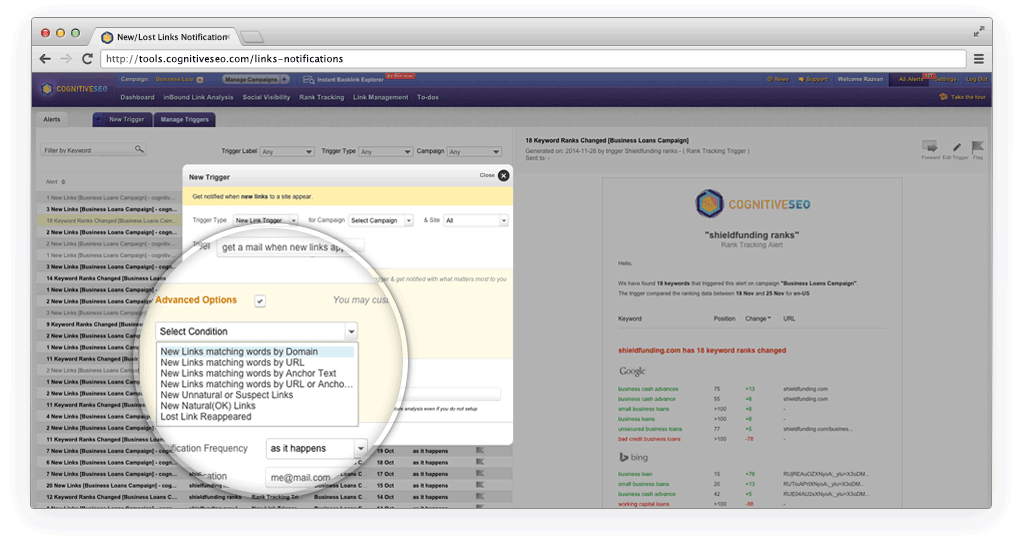
- New Link Alerts for both your site and your competitors.
- Anchor Text Cloud & Common Anchor Texts.
- New Link Velocity data points.
- Top Linked Pages.
- Better Competitive Link Analysis.
- Side-by-side Competitor Comparison.
- Analyze 1 link per referring domain filter.
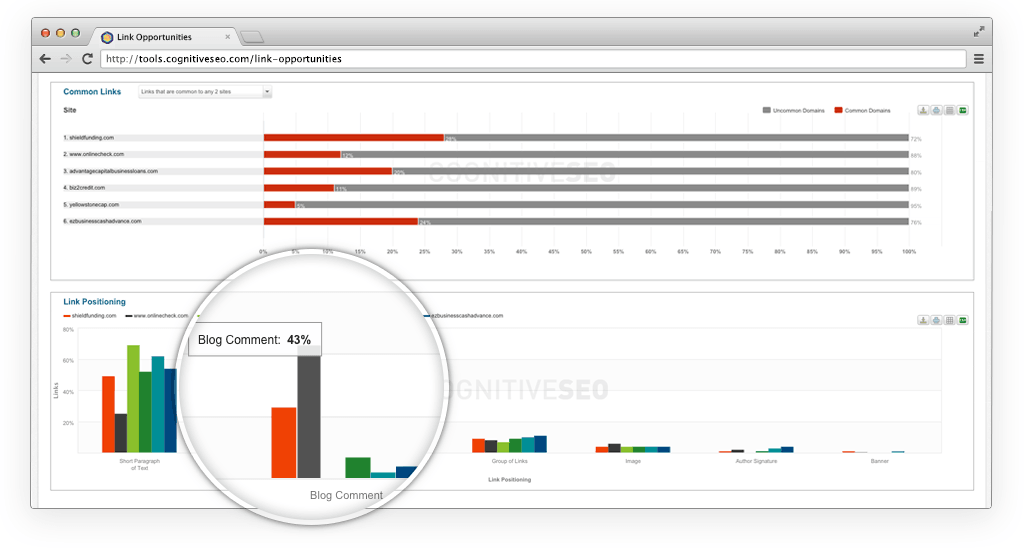
- Common Links, Common Referring Domains & Common IPs
- Full Domain & Sub-domain & Link List Analysis.
- Recurring & One-time Snapshot Campaigns.
- in-Content Links Distribution Chart.
- Link History Dimension.
- The New Trust & Citation metrics from MajesticSEO.
- Highly scalable system for Enterprise users.
- Dynamic Full Page Link filters.
- Extended / Condensed View for better visualizations.
Based on the concept “A picture is worth a thousand words”, here are, all of the above, 18 features exemplified with screen photos and short descriptions.
First, I would like to thank you for trusting us in your SEO analysis adventures and would love to have you test the tools. You can get your free 14 day trial here!

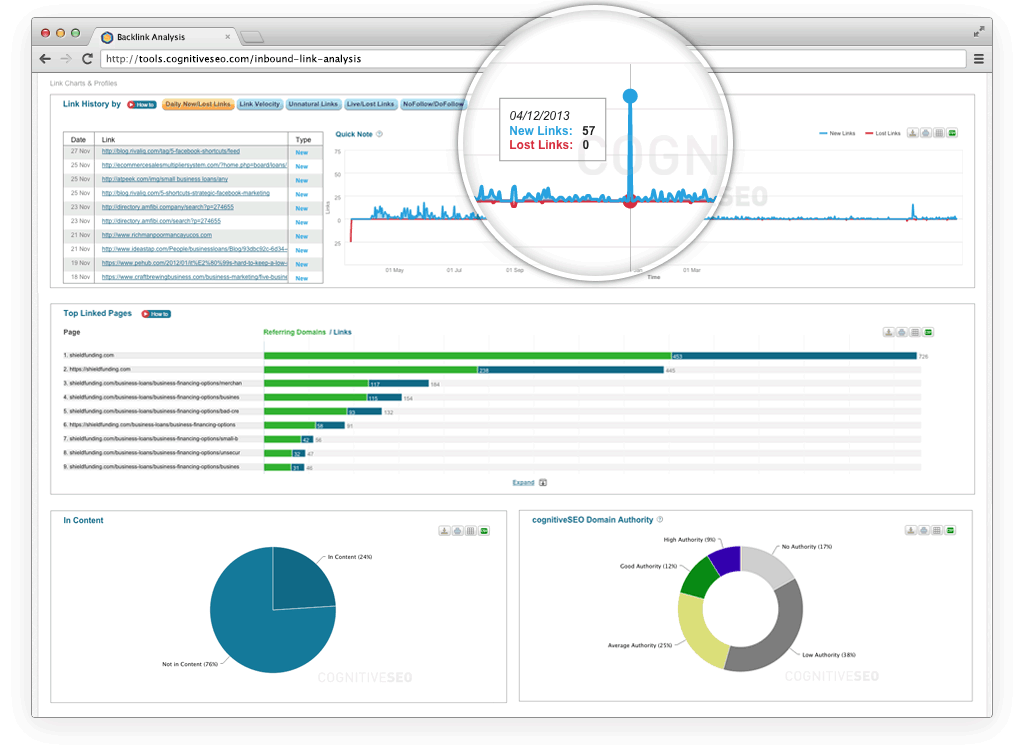
We merged over 20 pages in one single dash with 36 charts and one big table with all your links. You won’t have to browse through tens of pages anymore, loosing time and wondering how to correlate the various link data. You can print the charts and also export link data from each individual table. The “big” page even loads quite quickly!
We added import functionality for Google Webmaster Tools data ( Bing Link Explorer and other link data providers ) so that you can compliment the data that we extract from all the backlink providers that we use, with the data that you love most. You can even import custom lists of links with the click of a button.
You will receive weekly mails with the new links that appeared in that timeframe. This works both on your site and your competitors and it builds out a link velocity graph inside the app. This is a great link intelligence advantage, being able to see how your competitors link profiles are evolving compared to yours, and at the same time, to have access to the exact links that create the evolution of thee backlink profiles.
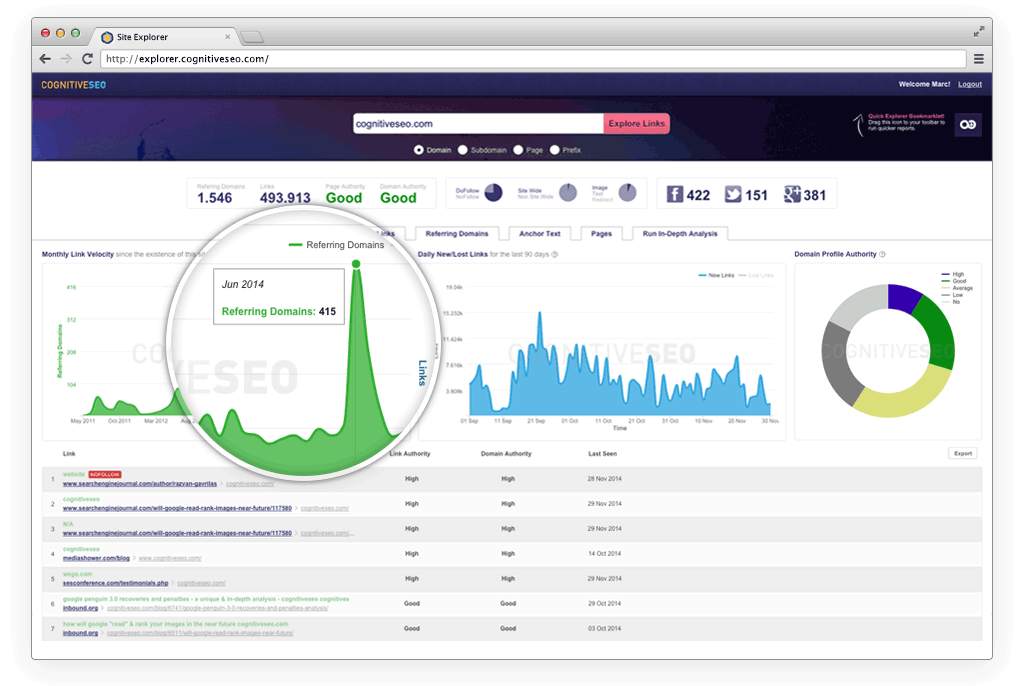
Finding common anchor texts between your site and the competitors and visualizing anchor data has never been easier. You can easily use this data to understand the strengths & weaknesses of your link building plan, in terms of anchor text distribution. Spotting over-optimized anchor text is like a breeze now!
On each campaign re-crawl, we save different data points that allow you to see the evolution of your backlink profile. For example you can view the evolution of a link profile from the site type, point of view or from nofollow/dofollow links. Many more are data points are saved.
View the most linked pages of the sites that you analyze. You are also able to visualize how the referring domains vs links are acquired for each individual page of the analyzed site.
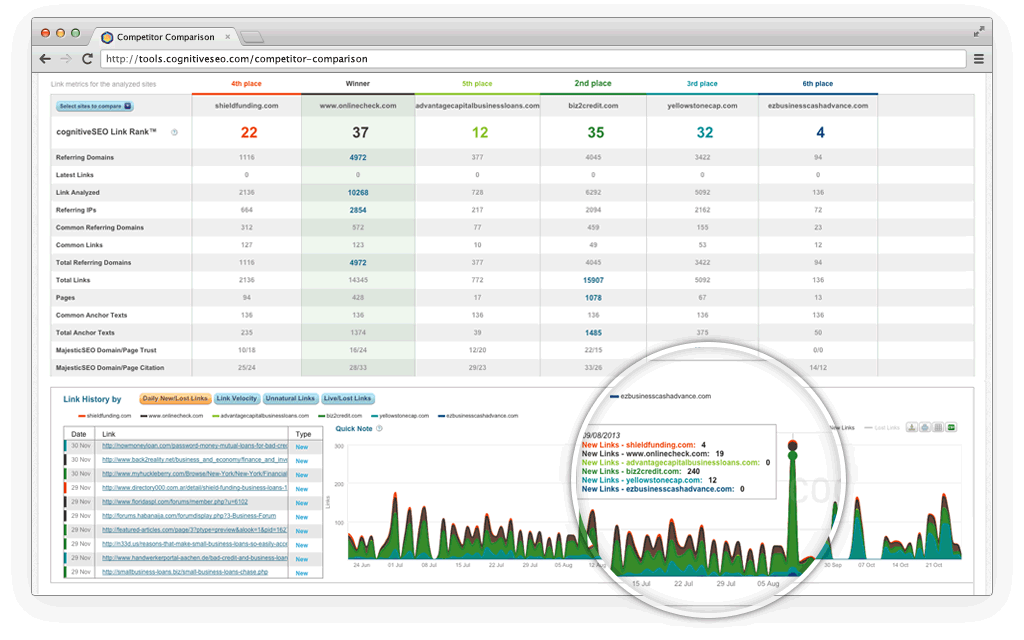
One single page where you can compare over 20 charts and correlate the most important seo metrics to tell you what makes the difference between your site and your competitors sites. It has never been easier to compare such huge amounts of link data in an easy to digest & fast interface.
In the Competitive Link Analysis area you will find the Winner vs Loser comparison, based on different link metrics. You can even apply different filters and the comparison will change dynamically. So many possibilities here! Link building and analysis is all about creativity and what you are looking to accomplish.
In certain situations you might only want to check the most important link from each referring domain individually. Keeps your analysis even more focused!
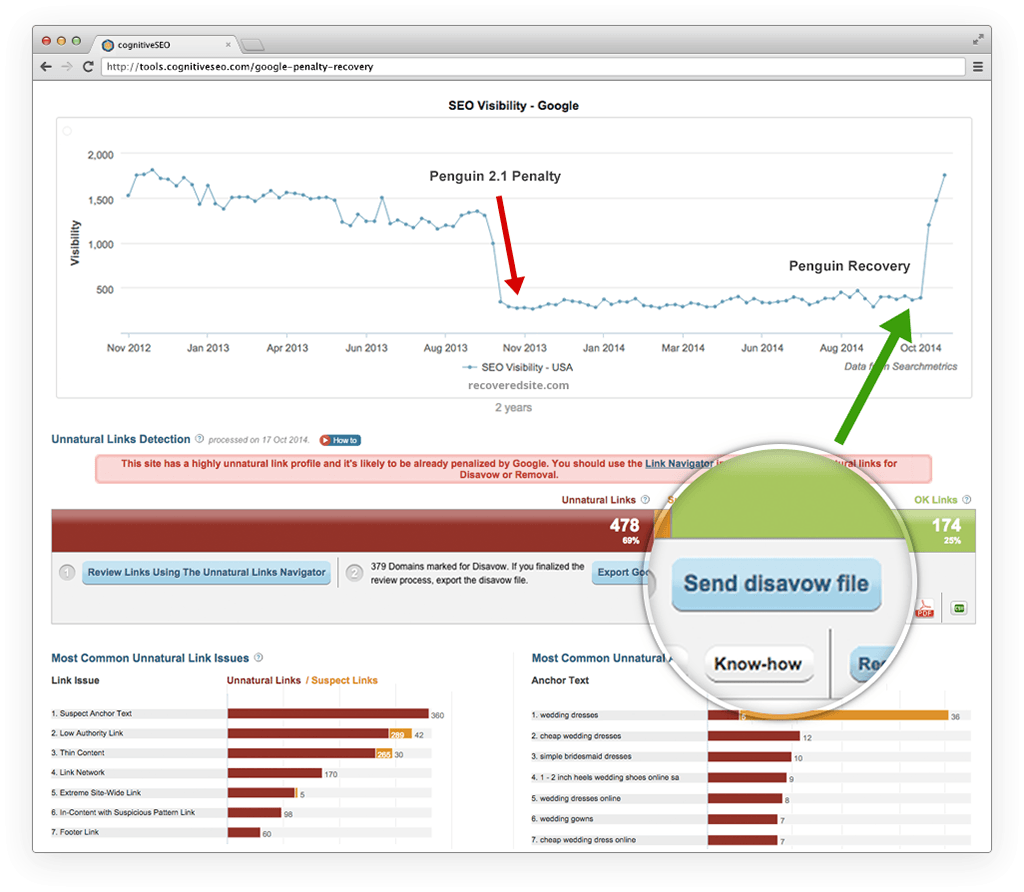
Easily compare and identify unnatural linking patterns using the common referring domains and common IPs. You can easily spot link networks from this chart alone!
Until now, you where only able to run subdomain analysis on the campaigns that you created inside cognitiveSEO. From now on your possibilities are endless because you can run both full domain analysis and subdomain analysis. If you want you can even run the analysis on a custom list of URLs.
Adding campaings in cognitiveSEO is cleaner now. We splitted the campaign concept in two: One-time Snapshots & Recurring Campaigns. The big difference is that “Recurring Campaigns” will be automatically re-crawled weekly and also allow continuous rank tracking. “One-time Snapshots” are best for one-time site benchmarking & analysis and client pitches.
We were detecting in-Content links since the initial launch of cognitiveSEO in December 2011, but until now we missed to add this chart. We believe this is a great addition to our range of charts as this tells part of the story on how links were built to the analyzed site.
The Link History dimension was added. Now you can filter the links, based on a selected timeframe. You will be able to analyze only the links that appeared in the last 2 weeks for example. Great for detailed link velocity analysis!
MajesticSEO introduced a few months ago their New Trust & Citation metrics. We have integrated them in cognitiveSEO, in these beautiful charts that tell you what each point means and what it actually represents.
We did not work on this revamp, for 5 months, without taking in consideration our Enterprise users. Our system is scalable with dedicated servers and custom enterprise plans (contact us at support@cognitiveseo.com), to allow you to analyze millions of links on demand, with the detail and granularity that no other backlink analysis tool gives you.
The whole page, with all the charts, can be filtered dynamically, and you will get the entire page re-drawn with the new filtered data. For example if you only want to view the link profile of the backlinks that point to your URLs that contain the word “blog” and have a rating of 3 to 5, after you apply these filters your page will be refreshed and you will see only the filtered data & charts.
The link analysis dashboard is a really long page (“Extended View”). If this design does not fit you, we have the tabbed view, which we named the “Condensed View”. Either way, these are great link visualizations that will help you understand backlink profiles and allow you to make decisions faster.
The two biggest challenges of this upgrade were:
- Simplify Complexity
- Scale the system for Enterprise users.
I want to thank the entire team here for the continuos work that they have put into this new upgrade.
It was a real challenge and we hope that you will LOVE IT. Get your free 14 day trial here!
Share any thoughts, ideas, issues … by commenting on this blog post.
Enjoy your link analysis!


I tried Cognitive when it first came out… I liked the data but the interface seemed buggy to me, so I left.
The permanent discount available to early trials who cancelled coupled with this post have convinced me to give it another shot. Looks like exactly what I need.
Hi Brandon,
Tks for the trust. We are growing and solving things out smoothly!
You will Love IT!
Hey Razvan,
Correct me if I’m wrong but this cool tool doesn’t search for new prospects backlinks like … (won’t mention competitors
or does it? And if so where can I find the vid/manual how to do so?
Regards
Hank
this feature is not available in the tool at this point.